
Budget laptops have improved dramatically over the last few years. Thanks to more efficient processors, faster SSD storage, and increased memory, many affordable models can now handle demanding tasks that once required premium hardware. The key is understanding which workloads are realistic for a budget laptop—and which require a more powerful machine.
Whether you’re a freelancer, student, programmer, content creator, or remote worker, here’s what you should know before buying.
What Counts as a Heavy Workload?
Not all demanding tasks stress a laptop in the same way.
Heavy workloads typically include:
- Video editing
- Photo editing
- Programming and compiling code
- Running virtual machines
- Large spreadsheets
- Graphic design
- 3D modeling
- AI-assisted applications
- Streaming while gaming
- Multiple browser tabs with productivity apps
- Large databases
- Data analysis
Knowing your primary workload helps determine whether a budget laptop is sufficient.
Modern Budget CPUs Are More Powerful Than Ever
The processor has the biggest impact on overall performance.
Today’s affordable laptops often include:
- Intel Core i5
- Intel Core Ultra 5
- AMD Ryzen 5
- AMD Ryzen 7
- Qualcomm Snapdragon X Plus (selected models)
These processors easily handle:
- Office work
- Web development
- Programming
- Remote work
- Video conferencing
- Moderate content creation
- AI productivity tools
For many users, the CPU is no longer the limiting factor.
RAM Matters More Than Many People Think
Modern applications consume much more memory than they did only a few years ago.
Recommended RAM:
| Workload | Recommended RAM |
|---|---|
| Office work | 8 GB |
| Multitasking | 16 GB |
| Programming | 16 GB |
| Photoshop | 16 GB |
| Video editing | 16–32 GB |
| Virtual machines | 32 GB |
Whenever possible, choose a laptop with 16 GB of RAM or one that allows future upgrades.
SSD Storage Makes a Huge Difference
Many people underestimate how much storage affects performance.
Compared with traditional hard drives, SSDs provide:
- Faster boot times
- Faster application loading
- Quicker file transfers
- Better multitasking
- Less waiting during updates
For heavy workloads, look for:
- At least 512 GB SSD
- NVMe PCIe SSD rather than SATA SSD
Storage speed often has a greater impact on everyday responsiveness than processor speed.
Integrated Graphics vs Dedicated Graphics
Not every demanding task requires a dedicated GPU.
Integrated graphics are sufficient for:
- Programming
- Office productivity
- Photo editing
- Streaming
- Web design
- Light video editing
A dedicated GPU becomes important for:
- Professional video editing
- 3D rendering
- CAD software
- Machine learning
- AAA gaming
- Blender
- Unreal Engine
Budget laptops with NVIDIA RTX 4050 or RTX 4060 graphics now offer excellent value for creators.
Can Budget Laptops Handle AI Applications?
AI-powered software has become part of everyday productivity.
Many affordable laptops now comfortably run:
- AI writing assistants
- Image generation tools
- AI meeting assistants
- AI photo editing
- AI-powered Office features
- Local small language models (on newer hardware)
However, running large AI models locally benefits from:
- More RAM
- Dedicated GPU
- Faster processors
Cloud AI services reduce the need for expensive hardware.
What Are the Best Affordable Laptops for Freelancers?
Thermal Performance Is Often Overlooked
Performance isn’t only about specifications.
Budget laptops sometimes use simpler cooling systems.
Poor cooling can cause:
- Thermal throttling
- Slower rendering
- Reduced gaming performance
- Loud fans
Reading professional reviews is important because cooling quality varies significantly between models.
Battery Life During Heavy Work
Heavy workloads quickly drain batteries.
Typical battery life:
- Office work: 8–12 hours
- Programming: 6–9 hours
- Photo editing: 4–6 hours
- Video editing: 2–4 hours
- Gaming: 1–3 hours
If portability matters, prioritize laptops with efficient processors rather than maximum performance.
Upgradeability Can Extend Laptop Life
Some budget laptops remain useful for many years because they allow upgrades.
Look for models with:
- Upgradeable RAM
- Replaceable SSD
- Wi-Fi card replacement
- Easy battery replacement (if possible)
Avoid models where memory is permanently soldered if you expect heavier workloads in the future.
Best Budget Laptop Features for Heavy Workloads
When comparing laptops, prioritize:
- Intel Core i5/Core Ultra 5 or AMD Ryzen 5+
- 16 GB RAM
- 512 GB SSD minimum
- IPS display
- Good cooling system
- Wi-Fi 6 or Wi-Fi 7
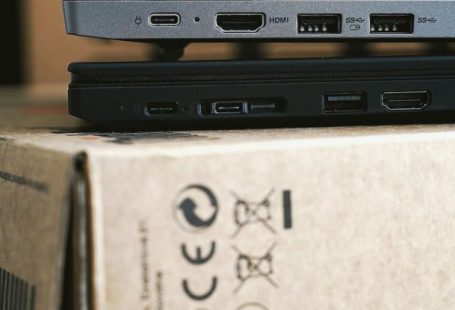
- USB-C charging
- HDMI output
- Comfortable keyboard
A balanced configuration usually performs better than paying extra for a faster processor but sacrificing RAM or storage.
When a Budget Laptop Is Enough
Affordable laptops work well for:
- Students
- Writers
- Office workers
- Remote employees
- Freelancers
- Bloggers
- Teachers
- Accountants
- Software developers
- Digital marketers
Most productivity software today is optimized for mid-range hardware.
When You Should Buy a Premium Laptop Instead
You may need a higher-end system if you regularly use:
- Adobe Premiere Pro
- DaVinci Resolve
- Blender
- AutoCAD
- SolidWorks
- Unreal Engine
- Large AI models
- Multiple virtual machines
- Professional 3D rendering
Professionals who earn income from these applications often recover the higher purchase price through increased productivity.
Common Buying Mistakes
Avoid these common errors:
- Choosing only 8 GB RAM.
- Buying laptops with HDD storage.
- Ignoring display quality.
- Buying based solely on processor generation.
- Choosing very small SSD capacity.
- Ignoring cooling performance.
- Forgetting about upgrade options.
- Overpaying for unnecessary gaming features.
A balanced laptop often delivers the best long-term value.
Tips for Better Performance
You can improve performance even on an affordable laptop by:
- Closing unnecessary background apps.
- Keeping Windows updated.
- Using SSD storage.
- Cleaning cooling vents regularly.
- Keeping at least 20% free disk space.
- Upgrading RAM if supported.
- Using cloud storage for large files.
- Connecting an external monitor for multitasking.
These simple habits can noticeably improve responsiveness.
Final Verdict
Budget laptops are far more capable than they were just a few years ago. Modern processors, SSD storage, and improved memory configurations allow many affordable models to handle programming, office work, creative projects, and moderate multitasking without difficulty.
The best results come from choosing a balanced configuration with at least 16 GB of RAM, a fast SSD, and a modern multi-core processor. While professionals working with intensive video editing, 3D rendering, or advanced AI applications may still benefit from premium hardware, today’s budget laptops provide excellent value for students, freelancers, remote workers, and most everyday users.
Rather than focusing solely on the lowest price, compare performance, upgradeability, display quality, battery life, and long-term reliability. A carefully chosen budget laptop can remain productive for many years while costing hundreds of dollars less than a flagship model.
Frequently Asked Questions
Can an inexpensive laptop run Photoshop?
Yes. A laptop with a modern Core i5 or Ryzen 5 processor, 16 GB RAM, and an SSD handles Photoshop comfortably.
Is 8 GB RAM enough?
For basic work, yes. For multitasking and professional workloads, 16 GB is strongly recommended.
Do I need a dedicated graphics card?
Only for gaming, 3D design, advanced video editing, CAD software, or AI workloads.
How much SSD storage should I buy?
A 512 GB SSD is the best starting point for most users, while 1 TB offers more flexibility for creative work.
How long should a budget laptop last?
A well-built budget laptop typically remains useful for 4–6 years, especially if it supports RAM or SSD upgrades.