
Working from home has become increasingly popular in recent years, and having a dedicated home office is essential for productivity and focus. However, not everyone has the luxury of a spacious room to dedicate solely to work. But fear not! With some creativity and smart organization, you can set up a functional and efficient home office, even with limited space. In this article, we will explore some practical tips and tricks to help you make the most of your available space.
Choose the Right Location
The first step in setting up a home office is to choose the right location. If you have limited space, you need to think strategically. Look for unused corners, alcoves, or underutilized areas in your home. Consider converting a spare bedroom, a walk-in closet, or even a nook in your living room. The key is to find a spot that offers some privacy and minimal distractions.
Invest in Space-Saving Furniture
When space is at a premium, it’s crucial to invest in furniture that maximizes functionality without taking up too much space. Opt for a compact desk that can fit comfortably in your chosen location. Look for desks with built-in storage options like shelves or drawers to keep your workspace organized and clutter-free. Additionally, consider using a wall-mounted desk or a foldable desk that can be easily tucked away when not in use.
Utilize Vertical Space
When horizontal space is limited, make use of vertical space to expand your home office. Install shelves or floating wall units above your desk to store books, files, and other essentials. Use wall-mounted organizers or pegboards to keep your supplies within reach without taking up valuable desk space. By utilizing vertical space, you can make the most of every inch available.
Get Creative with Storage Solutions
In a small home office, effective storage solutions are essential. Invest in storage containers and bins that can be neatly stacked or tucked away under your desk. Use hanging file folders or magazine holders to keep your papers organized. Consider using a rolling cart with drawers to store additional supplies that can be easily moved around as needed. By getting creative with storage solutions, you can keep your workspace tidy and free from clutter.
Opt for Multi-functional Furniture
In a small home office, multi-functional furniture can be a game-changer. Look for pieces that serve multiple purposes to save space. For example, choose a desk that can double as a dining table or a bookshelf that can also function as a room divider. By opting for multi-functional furniture, you can make your limited space work harder for you.
Let There Be Light
Good lighting is essential for productivity and concentration. If your home office lacks natural light, consider using task lighting to brighten up your workspace. Invest in a desk lamp with adjustable features to direct light where you need it most. Additionally, consider using mirrors to reflect light and create the illusion of a larger space.
Create a Distraction-Free Zone
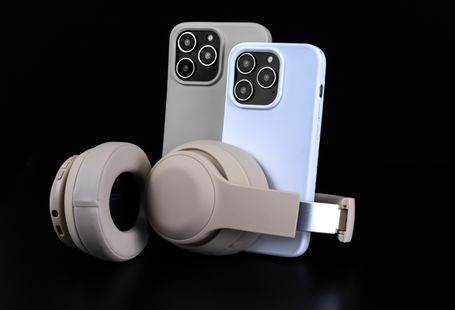
When working from home, it’s crucial to create a distraction-free zone. Use room dividers or curtains to separate your home office from the rest of your living space. This will help you mentally transition into work mode and minimize interruptions. Consider using noise-cancelling headphones or a white noise machine to block out any ambient noise that may distract you.
Prioritize Ergonomics in a Small Workspace
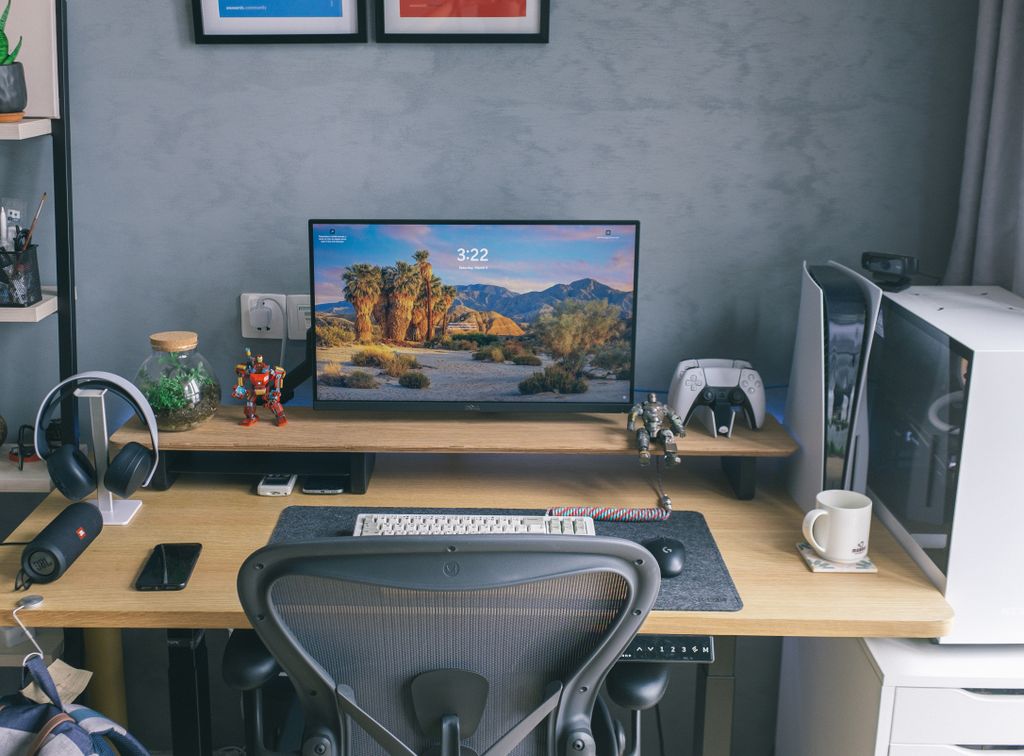
Limited space doesn’t mean you should sacrifice comfort. Poor ergonomics can lead to back pain, neck strain, wrist discomfort, and reduced productivity over time.
Consider these ergonomic essentials:
- Position your monitor so the top of the screen is at eye level.
- Keep your elbows at roughly a 90-degree angle while typing.
- Use a chair with proper lumbar support whenever possible.
- Place your feet flat on the floor or on a footrest.
- Keep frequently used items within easy reach.
Even a compact workspace can be comfortable when arranged correctly.
Manage Cables to Reduce Clutter
Visible cables can make a small office feel messy and cramped.
Simple cable management solutions include:
- Cable sleeves
- Adhesive cable clips
- Under-desk cable trays
- Reusable Velcro cable ties
- Wireless keyboard and mouse
Keeping cables organized not only improves appearance but also makes cleaning and maintenance easier.
Choose Technology That Saves Space
Today’s compact office equipment is designed specifically for smaller homes and apartments.
Space-saving options include:
- Mini PCs
- Compact laptops with docking stations
- Portable monitors
- Wireless peripherals
- All-in-one printers
- Vertical laptop stands
- Foldable laptop risers
Choosing smaller equipment allows you to maintain a productive workspace without sacrificing valuable desk space.
Improve Your Video Call Setup
Video meetings have become a normal part of remote work, making your workspace background more important than ever.
For a professional appearance:
- Face a window whenever possible for natural lighting.
- Keep the background simple and uncluttered.
- Position your webcam at eye level.
- Use a quality microphone or headset.
- Add a small desk lamp if natural light isn’t available.
A clean and well-lit workspace creates a more professional impression during online meetings.
Reduce Digital Clutter
Physical clutter isn’t the only productivity killer. Digital clutter can also slow you down.
Take time to:
- Organize desktop files.
- Delete unnecessary downloads.
- Use cloud storage for important documents.
- Create clearly labeled folders.
- Keep only essential apps open while working.
An organized computer often leads to a more organized workflow.
Add a Few Personal Touches
A functional office doesn’t have to feel cold or boring.
Consider adding:
- A small indoor plant
- Family photos
- Inspirational artwork
- A desk calendar
- A corkboard or whiteboard
- A favorite coffee mug
Small decorative touches can make your workspace more enjoyable without creating unnecessary clutter.
Keep Frequently Used Items Within Reach
Think about what you use every day.
Items such as:
- Notebook
- Pens
- Charger
- Water bottle
- Headphones
- Sticky notes
should remain within arm’s reach, while less frequently used supplies can be stored on shelves or in drawers.
This simple habit reduces interruptions throughout the workday.
Create a Daily Reset Routine
At the end of each workday, spend just five minutes resetting your workspace.
This routine might include:
- Clearing your desk
- Filing paperwork
- Charging devices
- Emptying trash
- Wiping down your desk
- Preparing tomorrow’s to-do list
Starting each morning with a clean workspace helps improve focus and productivity.
Common Mistakes to Avoid
Many people unintentionally make small-space office setups less efficient.
Try to avoid:
- Buying oversized furniture
- Blocking natural light
- Ignoring ergonomics
- Allowing cables to accumulate
- Using poor lighting
- Keeping unnecessary items on the desk
- Forgetting about ventilation
- Working from the couch every day
Avoiding these common mistakes can dramatically improve both comfort and efficiency.
Final Thoughts
Creating a productive home office in a limited space is all about thoughtful planning rather than square footage. By combining smart furniture choices, efficient storage solutions, ergonomic design, good lighting, and effective organization, even the smallest corner of your home can become a comfortable and highly productive workspace.
Remember that your workspace should evolve with your needs. As your work habits change, regularly evaluate your setup and make small improvements that help you stay organized, comfortable, and focused throughout the day.
Frequently Asked Questions
What is the minimum space needed for a home office?
A productive home office can fit into an area as small as 4–6 square feet if the space is organized efficiently with compact furniture.
What type of desk works best in a small apartment?
Wall-mounted desks, corner desks, folding desks, and compact writing desks are excellent choices for limited spaces.
How can I make a small office look larger?
Use light-colored walls, mirrors, vertical storage, hidden cable management, and minimal decorations to create the illusion of a larger space.
Is a standing desk a good option for a small home office?
Yes. Compact electric standing desks or desktop converters allow you to alternate between sitting and standing without requiring additional room.
How can I reduce distractions while working from home?
Create a dedicated workspace, establish clear work hours, use noise-canceling headphones, silence unnecessary notifications, and keep your work area separate from relaxation spaces whenever possible.
Conclusion: Work Smarter, Not Harder
Setting up a home office with limited space may require some creativity and out-of-the-box thinking, but it is entirely possible. By choosing the right location, investing in space-saving furniture, utilizing vertical space, and getting creative with storage solutions, you can create a functional and efficient workspace in your home. Remember, it’s not the size of the space that matters; it’s how you make it work for you. So, work smarter, not harder, and make the most of your limited home office space.