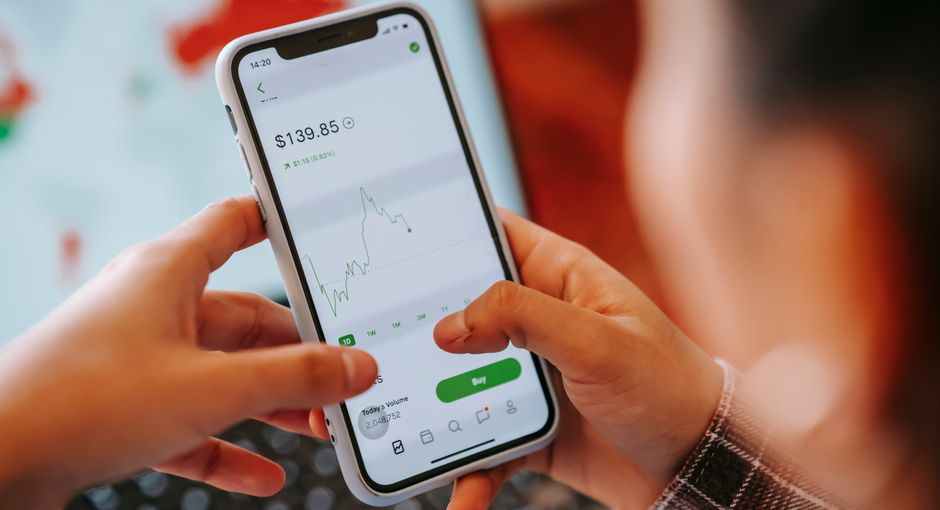
Managing your money is easier than ever thanks to free personal finance apps that help you track spending, create budgets, monitor investments, and build better financial habits. Whether you’re trying to save for a vacation, pay off debt, or simply understand where your money goes each month, the right app can make a significant difference.
Here are some of the best free mobile apps for managing your finances.
What Should a Good Finance App Include?
The best budgeting and money management apps typically offer features such as:
- Expense tracking
- Budget creation
- Bill reminders
- Spending analysis
- Savings goals
- Account synchronization
- Investment tracking
- Financial reports
- Security features
Choose an app that matches your financial goals rather than one with the most features.
Mint
Mint has long been one of the most popular personal finance apps.
Its features include:
- Automatic expense tracking
- Budget creation
- Bill reminders
- Credit score monitoring
- Spending categories
- Financial summaries
By linking your bank accounts and credit cards, Mint automatically categorizes transactions, making it easy to monitor your spending.
Best for: Everyday budgeting and expense tracking.
Empower Personal Dashboard (formerly Personal Capital)
Empower Personal Dashboard is ideal for users who want to track both spending and investments.
Key features include:
- Net worth tracking
- Investment analysis
- Retirement planning
- Cash flow monitoring
- Budget reports
- Portfolio performance
It’s especially useful for individuals focused on long-term wealth building.
Best for: Investment and retirement tracking.
YNAB (You Need A Budget)
YNAB is built around a proactive budgeting philosophy that encourages users to assign every dollar a purpose.
Features include:
- Zero-based budgeting
- Goal tracking
- Debt payoff planning
- Spending reports
- Financial education
- Real-time budget updates
Although YNAB is a paid service after its trial period, many users consider it one of the most effective budgeting tools available.
Best for: Building disciplined budgeting habits.
Goodbudget
Goodbudget modernizes the traditional envelope budgeting system.
It allows you to:
- Allocate money into spending categories
- Track expenses manually
- Plan monthly budgets
- Share budgets with family members
- Monitor savings goals
The free version includes enough features for many households.
Best for: Envelope budgeting.

PocketGuard
PocketGuard helps answer one simple question:
“How much can I safely spend today?”
Features include:
- Spending limits
- Budget tracking
- Bill monitoring
- Subscription tracking
- Cash flow analysis
Its simple interface makes it ideal for beginners.
Best for: Preventing overspending.
Spendee
Spendee combines attractive design with practical budgeting tools.
Features include:
- Expense tracking
- Shared wallets
- Budget planning
- Multiple currency support
- Spending charts
- Family budgeting
It’s particularly useful for households that manage finances together.
Best for: Shared budgeting.
Wallet by BudgetBakers
Wallet offers advanced budgeting features with an intuitive interface.
Highlights include:
- Bank synchronization
- Expense categorization
- Budget planning
- Financial reports
- Debt tracking
- Savings goals
Many features are available in the free version.
Best for: Comprehensive money management.
Acorns
Acorns helps users invest automatically by rounding up everyday purchases to the nearest dollar.
Features include:
- Automatic investing
- Portfolio management
- Retirement accounts
- Educational content
- Recurring investments
While investment accounts involve fees, Acorns makes investing accessible for beginners.
Best for: New investors.
Rocket Money
Rocket Money focuses on reducing unnecessary expenses.
It helps users:
- Identify recurring subscriptions
- Cancel unwanted services
- Track spending
- Build budgets
- Monitor bills
Subscription management alone can save users hundreds of dollars annually.
Best for: Managing subscriptions and recurring expenses.
Money Manager Expense & Budget
This straightforward app is ideal for users who prefer manual financial tracking.
Features include:
- Income tracking
- Expense logging
- Budget reports
- Calendar view
- Financial statistics
- Data backup
Its simplicity appeals to users who don’t want to connect bank accounts.
Best for: Manual expense tracking.
Tips for Choosing the Right Finance App
Before downloading an app, consider:
- Does it support your country’s banks?
- Is bank synchronization available?
- Does it offer strong encryption and security?
- Can you export your financial data?
- Is the free version sufficient?
- Are there intrusive advertisements?
- Does it support your financial goals?
Choosing the right app depends on how you prefer to manage your money.
Protect Your Financial Information
Finance apps often contain sensitive personal information.
For maximum security:
- Enable two-factor authentication.
- Use a strong, unique password.
- Download apps only from official app stores.
- Review privacy policies.
- Keep your phone updated with the latest security patches.
Final Thoughts
Free finance apps make it easier than ever to understand your spending, create realistic budgets, monitor investments, and work toward your financial goals. Whether you want an all-in-one budgeting solution like Mint, investment tracking through Empower Personal Dashboard, subscription management with Rocket Money, or manual budgeting with Goodbudget, there’s an app to suit every financial style.
The most effective app is the one you’ll use consistently. Building the habit of reviewing your finances regularly can have a greater impact than choosing the most feature-rich platform.
Frequently Asked Questions (FAQ)
What is the best free budgeting app?
Mint, Goodbudget, Wallet by BudgetBakers, and PocketGuard are among the most popular free budgeting apps. The best choice depends on your budgeting style and desired features.
Are finance apps safe?
Reputable finance apps use bank-level encryption and security measures. Always download apps from official app stores, enable two-factor authentication, and use strong passwords to protect your financial information.
Can finance apps connect to my bank account?
Many apps allow secure bank account synchronization, automatically importing transactions and updating balances. Some apps also offer manual tracking for users who prefer not to link accounts.
Which app is best for tracking investments?
Empower Personal Dashboard is widely regarded as one of the best free tools for monitoring investment portfolios, retirement accounts, and overall net worth.
Can budgeting apps help me save money?
Yes. Budgeting apps make it easier to identify unnecessary spending, monitor expenses, set savings goals, and develop healthier financial habits over time.
Do I need to pay for a budgeting app?
Not necessarily. Many excellent finance apps offer generous free versions with enough features for everyday budgeting and expense tracking. Premium subscriptions typically unlock advanced reports, automation, or personalized financial tools.