

With the rise of remote work and the increasing number of people working from home, having a functional and well-equipped home office has become more important than ever. However, setting up a smart home office can often be an expensive endeavor. The good news is that it doesn’t have to be. In this article, we will explore some budget-friendly ways to make your home office smart.
Invest in Essential Equipment
The first step in making your home office smart is to invest in essential equipment. While it’s tempting to splurge on the latest gadgets, it’s important to prioritize functionality over aesthetics. Start by purchasing a reliable computer or laptop that meets your work requirements. Consider refurbished options, which are often significantly cheaper than brand new devices. Additionally, invest in a good quality printer, scanner, and a comfortable ergonomic chair.
Upgrade Your Lighting
Good lighting is crucial for productivity and can significantly improve your work environment. Instead of investing in expensive smart lighting systems, opt for affordable smart bulbs. These can be controlled via a smartphone app or voice commands, allowing you to adjust the brightness and color temperature to suit your preferences. You can also set schedules to automatically turn the lights on and off, saving energy and creating a more efficient workspace.
Organize Your Cables
A cluttered desk can be distracting and hinder productivity. Take the time to organize your cables and keep them out of sight. There are several budget-friendly cable management solutions available, such as cable clips, cable sleeves, and cable boxes. These will not only make your desk look tidier but also make it easier to clean and maintain.
Utilize Smart Plugs
Smart plugs are a cost-effective way to make your home office smarter. These devices can turn any regular appliance into a smart one by allowing you to control its power remotely. You can use them to schedule when your computer or printer turns on and off, saving energy and reducing your electricity bill. Additionally, smart plugs can be controlled using voice commands with virtual assistants like Amazon Alexa or Google Assistant.
Implement a Voice Assistant
Speaking of virtual assistants, integrating one into your home office can greatly enhance its smart capabilities. Virtual assistants like Amazon Alexa or Google Assistant can perform a wide range of tasks, from setting reminders and timers to playing music and answering questions. These devices are often affordable and can be connected to other smart devices in your office, allowing you to control them with voice commands.
Create a Productive Atmosphere
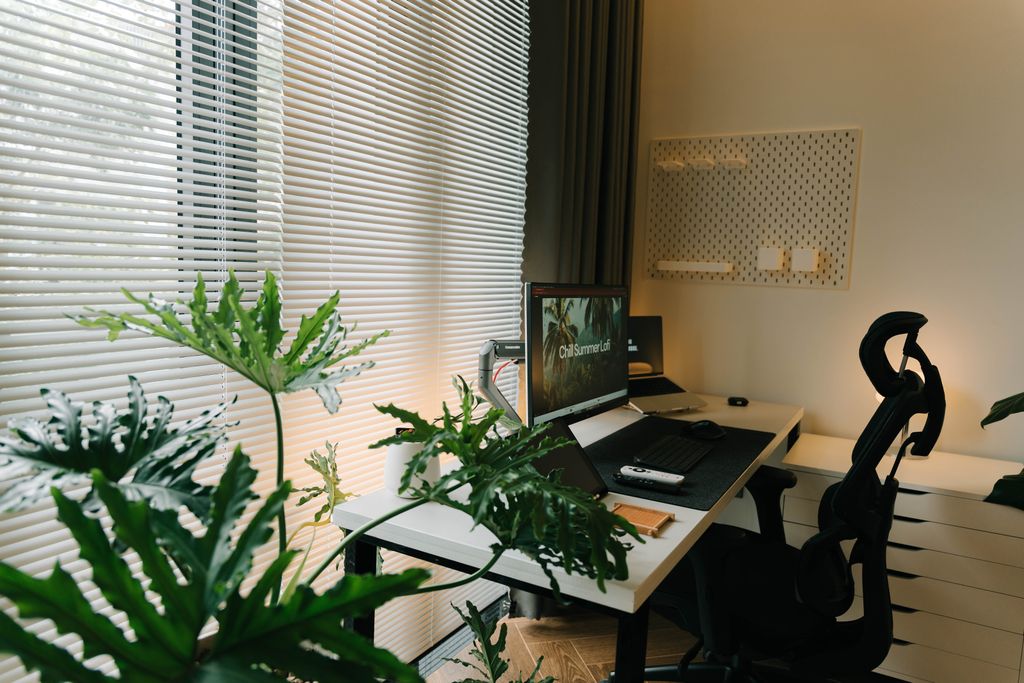
Creating a productive atmosphere in your home office is essential for staying focused and motivated. Consider investing in a white noise machine or a Bluetooth speaker to play ambient music or nature sounds. These can help drown out background noise and create a calming environment. Additionally, adding some greenery to your workspace can improve air quality and boost your mood.
Improve Your Internet Connection
A reliable internet connection is one of the most important parts of any smart home office.
You don’t always need a more expensive internet plan.
Instead, consider:
- Placing your router in a central location.
- Updating router firmware.
- Using a Wi-Fi extender if necessary.
- Connecting stationary devices with Ethernet cables.
- Reducing wireless interference.
Improving network performance can increase productivity without significantly increasing monthly costs.
Use Free Cloud Productivity Tools
Many cloud-based productivity platforms offer generous free plans.
These services can help you:
- Store documents securely.
- Collaborate with colleagues.
- Share files.
- Access documents from multiple devices.
- Automatically back up important work.
Using cloud tools reduces the need for expensive software while improving flexibility.
Automate Repetitive Tasks
Simple automation can save both time and effort.
Examples include:
- Automatically backing up files.
- Scheduling computer shutdowns.
- Syncing calendars.
- Organizing downloaded files.
- Creating automatic reminders.
Even small automations can make daily work more efficient.
Upgrade Your Webcam and Audio
Remote meetings have become a normal part of work.
Instead of purchasing expensive equipment, look for affordable upgrades such as:
- USB microphones
- Adjustable webcam lighting
- External webcams
- Noise-reducing headphones
Good audio quality often has a greater impact on virtual meetings than expensive video equipment.
Save Energy While You Work
A smart office should also be energy efficient.
Simple ways to reduce electricity use include:
- Using LED lighting.
- Enabling automatic sleep mode.
- Turning off unused devices.
- Scheduling smart plugs.
- Choosing energy-efficient monitors.
Lower energy consumption benefits both your budget and the environment.
How to Set up a Home Office with Limited Space?
Add AI Productivity Tools
Artificial intelligence can help streamline everyday office tasks.
Depending on your workflow, AI tools may assist with:
- Writing and editing
- Summarizing documents
- Brainstorming ideas
- Organizing notes
- Scheduling meetings
- Managing email
Many AI-powered productivity tools offer free or low-cost plans suitable for home office users.
Protect Your Workspace
Working from home also requires attention to digital security.
Basic protection includes:
- Strong passwords
- Two-factor authentication
- Regular software updates
- Automatic backups
- Secure Wi-Fi settings
These inexpensive precautions help protect important work and personal information.
Upgrade Gradually
Building a smart home office doesn’t need to happen all at once.
Prioritize upgrades that have the greatest impact:
- Reliable internet
- Comfortable chair
- Good lighting
- External monitor
- Webcam and microphone
- Smart automation
Making improvements over time keeps costs manageable while steadily improving your workspace.
Common Budget Home Office Mistakes
Avoid these common mistakes:
- Buying gadgets you rarely use.
- Ignoring ergonomics.
- Overlooking cable management.
- Spending too much on decorative items.
- Neglecting internet performance.
- Forgetting about long-term energy costs.
Focusing on functionality usually delivers the best value.
Final Thoughts
Creating a smart home office doesn’t require an expensive renovation or premium technology. Thoughtful upgrades such as reliable networking, ergonomic furniture, energy-efficient lighting, cloud productivity tools, automation, and AI-powered assistants can dramatically improve both comfort and productivity without exceeding a modest budget.
Rather than purchasing every new gadget, focus on solutions that solve real problems in your daily workflow. Small, carefully chosen improvements often provide greater long-term value than expensive technology purchased simply for its features.
Frequently Asked Questions
How much does it cost to build a smart home office?
Costs vary widely, but many useful upgrades—such as smart plugs, LED lighting, cable organizers, cloud productivity tools, and AI software—are available at relatively affordable prices.
Which smart upgrade offers the best value?
For many remote workers, improving internet reliability, lighting, and ergonomics provides the greatest productivity benefits for the lowest cost.
Are smart home devices necessary for a home office?
Not necessarily. Many traditional devices work perfectly well, but smart automation can improve convenience, energy efficiency, and workflow management.
Can AI improve a home office?
Yes. AI tools can assist with writing, scheduling, research, organization, and routine administrative tasks, helping remote workers save time.
What Are the Best Budget Apps for Home Office Organization?
What’s the biggest mistake when creating a budget home office?
Buying unnecessary gadgets before investing in essential improvements such as ergonomic furniture, reliable internet, proper lighting, and an organized workspace.