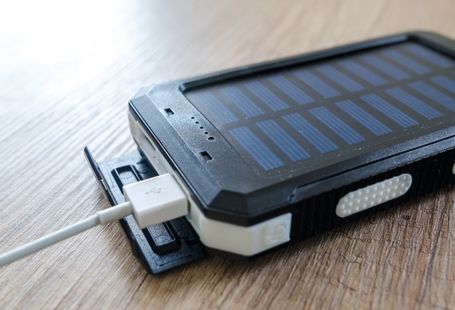

Working from home offers flexibility and convenience, but it can also increase your electricity bills if your workspace isn’t designed with energy efficiency in mind. Fortunately, a few simple upgrades and everyday habits can reduce energy consumption without affecting productivity. Here’s how to create a home office that’s both comfortable and cost-effective.
Choose Energy-Efficient Equipment
The devices you use every day have the biggest impact on your energy consumption. When upgrading your office, look for products with high energy-efficiency ratings or ENERGY STAR® certification.
Good choices include:
- Energy-efficient laptops instead of desktop computers
- LED monitors
- Multifunction printers
- External SSDs instead of traditional hard drives
Laptops generally consume much less electricity than desktop PCs while delivering more than enough performance for most office tasks.
Use Natural Light Whenever Possible
Lighting can account for a noticeable portion of your electricity use.
To reduce energy consumption:
- Position your desk near a window.
- Open blinds during the day.
- Use light-colored walls to reflect daylight.
- Avoid blocking windows with furniture.
Natural light also helps reduce eye strain and can improve focus throughout the workday.
Upgrade to LED Lighting
When artificial lighting is necessary, LED bulbs are the most energy-efficient option.
LED lighting offers several advantages:
- Uses up to 80% less electricity than incandescent bulbs
- Produces less heat
- Lasts much longer
- Requires less frequent replacement
A desk lamp with adjustable brightness can provide targeted lighting without illuminating the entire room.
Eliminate Standby Power
Many office devices continue drawing electricity even when switched off.
Reduce “phantom” energy use by:
- Turning off equipment after work
- Unplugging chargers when not in use
- Using smart plugs or switched power strips
- Scheduling devices to power down automatically
These small changes can reduce unnecessary electricity consumption over time.
Optimize Heating and Cooling
Heating and air conditioning are often the largest contributors to home energy bills.
Improve efficiency by:
- Setting a moderate thermostat temperature
- Using ceiling or portable fans before turning on air conditioning
- Keeping doors and windows closed when heating or cooling
- Using a programmable or smart thermostat
Heating or cooling only the room you’re using can also lower overall energy costs.
Improve Insulation
A well-insulated workspace stays comfortable with less heating or cooling.
Simple improvements include:
- Sealing gaps around windows and doors
- Installing weatherstripping
- Using thermal curtains
- Closing blinds during hot afternoons
- Adding rugs to reduce heat loss through floors
These inexpensive upgrades can make your office more comfortable year-round.
Go Paperless
Reducing paper use saves resources while making your workspace more organized.
Digital alternatives include:
- Cloud storage
- Electronic signatures
- Digital note-taking apps
- Online collaboration tools
- PDF document sharing
Printing only when necessary also reduces electricity, ink, and paper consumption.
Enable Power-Saving Features
Most computers and monitors include built-in energy-saving settings.
Enable features such as:
- Automatic sleep mode
- Display timeout
- Battery optimization
- Automatic brightness adjustment
- Hibernate after inactivity
These settings reduce power consumption without affecting your workflow.
Keep Equipment Clean
Dust buildup can reduce airflow and cause computers and other electronics to work harder.
Regularly:
- Clean air vents
- Remove dust from fans
- Keep cooling vents unobstructed
- Organize cables for better airflow
Well-maintained equipment runs more efficiently and often lasts longer.
Add Smart Home Automation
Affordable smart home devices can help manage energy use automatically.
Useful upgrades include:
- Smart plugs
- Smart lighting
- Motion sensors
- Smart thermostats
- Energy-monitoring plugs
These devices allow you to schedule equipment, monitor electricity usage, and avoid wasting energy when your office isn’t in use.
Build Sustainable Daily Habits
Small everyday actions can have a significant long-term impact.
Try to:
- Shut down your computer at the end of the day.
- Charge devices only when needed.
- Print only essential documents.
- Recycle ink cartridges and electronics responsibly.
- Turn off lights whenever you leave the room.
Consistent habits often save more energy than expensive upgrades.
How to Optimize Your Device’s Battery Life?
Final Thoughts
Creating an energy-efficient home office doesn’t require major renovations or costly equipment. Choosing efficient devices, maximizing natural light, reducing standby power, improving insulation, and adopting smarter daily habits can lower your electricity bills while reducing your environmental impact.
Even a few simple changes can make your workspace more sustainable, comfortable, and economical over the long term.