With the rise of remote work, many individuals have found themselves working from improvised home offices. While this newfound flexibility has its perks, it also comes with its fair share of challenges. One of the most significant challenges faced by remote workers is the lack of proper ergonomic setup. Without the guidance and resources of a traditional office environment, finding cost-effective ergonomic solutions can seem like an overwhelming task. However, with a little creativity and resourcefulness, it is possible to create a comfortable and productive workspace without breaking the bank.
Assessing Your Workspace Needs
Before diving into the world of ergonomic solutions, it is essential to assess your workspace needs. Take a moment to evaluate your current setup and identify any areas of discomfort or strain. Are you experiencing back pain from sitting for extended periods? Do you find yourself squinting at your computer screen due to poor lighting? Understanding your specific needs will help you prioritize which ergonomic solutions will be most beneficial and cost-effective for you.
Choosing the Right Chair
One of the most crucial elements of an ergonomic workspace is a comfortable chair. However, you don’t have to spend a fortune on a high-end office chair to achieve optimal comfort. Look for chairs that offer adjustable height and lumbar support. Many affordable options on the market today provide these features without the hefty price tag. Additionally, consider utilizing a lumbar support cushion if your current chair does not provide sufficient support.
Optimizing Your Desk Setup
A well-designed desk setup can make a world of difference in your overall comfort and productivity. When it comes to ergonomics, the height of your desk is key. Ideally, your desk should be at a height that allows your forearms to rest comfortably parallel to the ground while typing. If your desk is too high or too low, consider adjusting its height using risers or blocks. Alternatively, you can explore standing desk converters, which allow you to switch between sitting and standing positions throughout the day.
Investing in Proper Lighting
Inadequate lighting can strain your eyes and cause headaches, leading to decreased productivity. Fortunately, there are cost-effective ways to improve your workspace lighting. Natural light is always the best option, so try positioning your desk near a window if possible. If natural light is limited, invest in a desk lamp with adjustable brightness levels to reduce eye strain. Additionally, consider using warm or cool light bulbs, depending on your personal preference.
Prioritizing Keyboard and Mouse Ergonomics
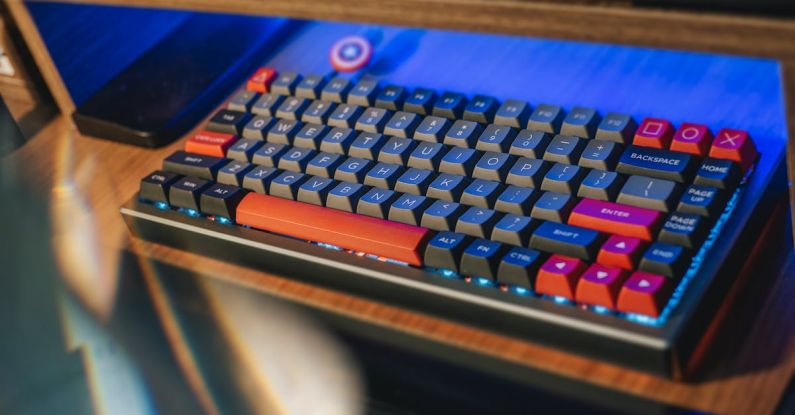
For those who spend hours typing away at a computer, proper keyboard and mouse ergonomics are crucial. Look for keyboards that offer a comfortable and natural wrist position, such as ergonomic split keyboards or those with built-in wrist rests. Similarly, ergonomic mouse options are available in various shapes and sizes to accommodate different hand sizes and grip styles. These ergonomic accessories are often reasonably priced and can alleviate strain on your wrists and hands.
Creating a Comfortable Work Environment
In addition to the physical aspects of ergonomics, it’s important to create a comfortable work environment. Pay attention to the temperature and humidity levels in your workspace. Avoid extreme temperatures and consider using a humidifier or dehumidifier to maintain a comfortable atmosphere. Additionally, incorporate elements that promote relaxation and reduce stress, such as plants, calming scents, or soothing background music.
Conclusion: Prioritizing Your Well-being
While finding cost-effective ergonomic solutions for remote workers may require some creativity and research, it is a worthwhile investment in your well-being. By assessing your workspace needs and prioritizing the essential elements of ergonomics, you can create a comfortable and productive work environment without breaking the bank. Remember to focus on key areas such as your chair, desk setup, lighting, keyboard and mouse ergonomics, and overall work environment. Taking care of your physical and mental well-being will not only enhance your productivity but also contribute to your long-term health and happiness as a remote worker.